HomeCommercial PoE SwitchesNSW3000-24T1GT1GC-LPOE-IN

NSW3000-24T1GT1GC-LPOE-IN

Uniview · Cloud Managed PoE Switch
Cloud Managed 19″ Rack PoE Switch · 24×100M PoE + 1000M + Combo Uplink, Low-Power 250W
Project-Based Pricing
Volume & combo discounts — get your quote
In-stock models: 3 days to your designated warehouse after payment · Out-of-stock or insufficient stock: 7–15 working days
Get Best Price on WhatsApp Need the PDF datasheet? Get it on WhatsApp →
HOW TO GET A BETTER PRICE
Volume DiscountOrder 50+ pcs of this model
CONTACT US
Project Combo DiscountMix any categories & models storewide in one order — no quantity limit
BIGGER
Verified End-User DiscountEnd user with a real project? Send your requirements / BOQ — best price, plus professional system design & planning advice
BIGGEST
All discounts are quoted personally — message me on WhatsApp ↑
24 PoE Ports
PoE 250 W
Cloud Managed
8.8 Gbps
19″ Rack 1U

Overview

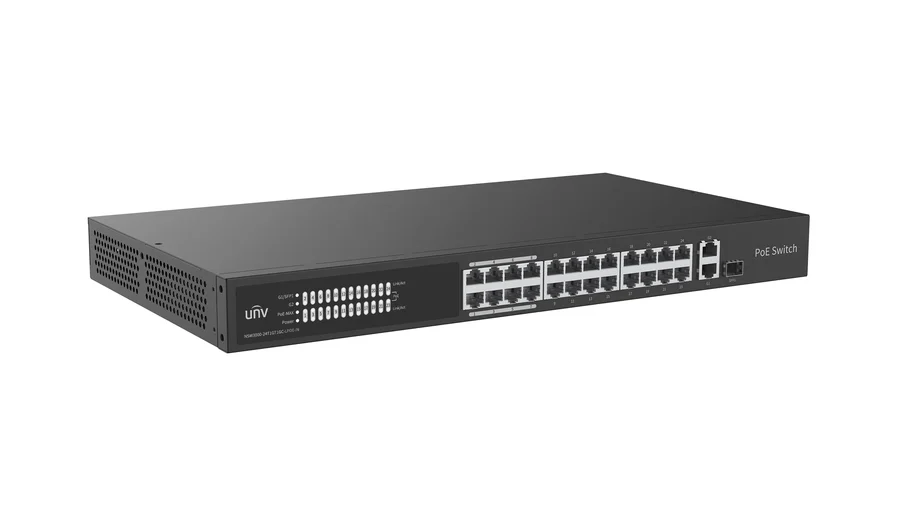
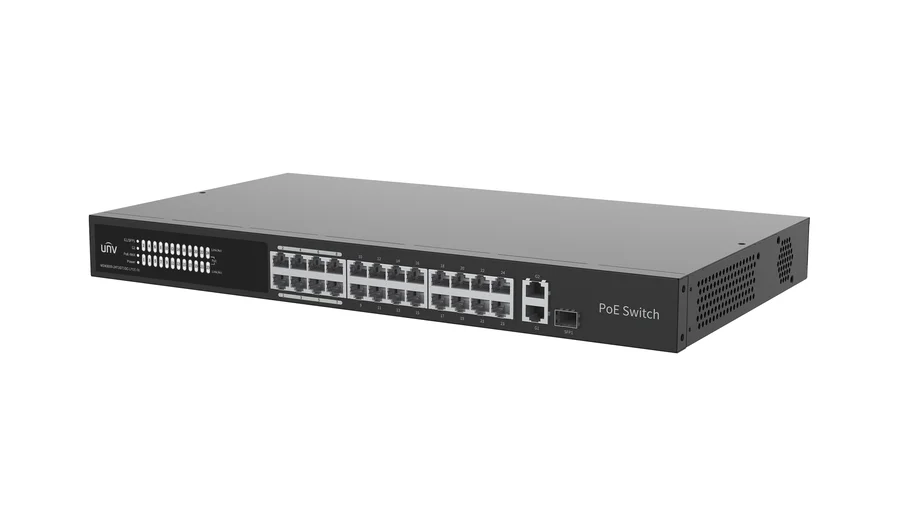
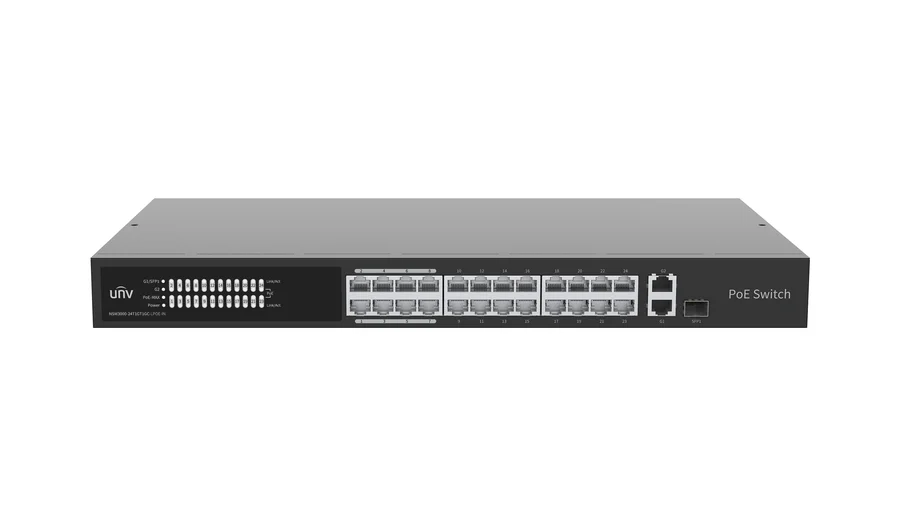
The NSW3000-24T1GT1GC-LPOE-IN is a cloud managed 19-inch rack-mount Fast Ethernet low-power PoE switch with 24 × 10/100Mbps RJ45 PoE ports (priority ports 1-8) plus a 1000Mbps RJ45 uplink (G2) and a 1000Mbps Combo RJ45/SFP uplink (G1/SFP1), self-developed by Uniview for lightweight Layer-2 camera networks in stores, supermarkets, enterprises and campuses that need high port density on a modest power budget. It delivers a 250 W total PoE budget (30 W max per port, IEEE 802.3af/at, Mode A/Mode B pinout) shared across 24 ports over an 8.8 Gbps switching fabric with 6.55 Mpps forwarding, a 4M bit packet buffer and a 16K MAC address table, cooled by a single internal fan and powered from a built-in AC 100–240V supply (265 W max). Through Uniview's cloud software and app, the switch auto-discovers connected video devices, builds a network topology, segments traffic across up to 32 VLANs (ID 1–4095), reports port abnormal alarms in real time, and lets an administrator check per-port PoE draw and remotely restart a hung camera's power without a site visit — with a front-panel PoE-MAX LED that lights when total draw passes 85% of budget. The all-metal 440×244.8×44 mm 1U chassis (2.9 kg) runs from 0°C to 45°C and is NDAA compliant.

Is This the Right Fit?

Six real deployment scenarios matched to this model's actual datasheet specifications.

Cloud Dashboard Scales Management Across Large, Multi-Site Camera Fleets24 ports per switch means fewer devices to manage across a big-box store or multi-floor site — configure, monitor and search every unit from one software dashboard, with auto-discovered video devices and an auto-generated network topology so a technician never has to log into each switch individually.
Low-Power PoE Math: 24 Ports Comfortably Share a 250 W EnvelopeAt an average of roughly 10 W per port, the 250 W budget comfortably covers 24 typical fixed-lens IR bullet or dome cameras drawing 6-8 W each (about 144-192 W total) with headroom to spare — while the 30 W per-port ceiling still lets you mix in a handful of higher-draw units.
PoE-MAX Indicator and Cloud View Flag Budget Overrun Before It HappensThe front-panel PoE-MAX LED lights when total draw passes roughly 85% of the 250 W budget, and the same power level can be checked remotely from the Web or app — so an installer adding camera #20 sees the warning before the switch trips, instead of finding out when a camera goes dark.
Priority Ports 1-8 Protect Critical Cameras When 24 Ports Compete for a Tighter BudgetWith 250 W spread across 24 ports instead of 16, the average power per port is tighter than on this switch's smaller sibling — ports 1-8 hold PoE power and forwarding priority, so entrance, cash-register or perimeter cameras on those ports stay powered and get their traffic forwarded first if total demand nears the budget ceiling.
VLAN Segmentation Keeps Camera Traffic Isolated Across a Larger Port CountUp to 32 Access/Trunk VLANs (ID 1-4095) let a 24-port switch serve several zones — sales floor, warehouse, back office — on one chassis while keeping each zone's camera traffic separate from POS, Wi-Fi and office data; port isolation restricts downlink ports so cameras only talk to the uplink.
Remote PoE Restart Cuts Truck Rolls Across Bigger Camera CountsMore ports means more cameras that can freeze or need a power cycle — an admin can check any port's PoE status and restart just that port's power from the Web or app, avoiding a site visit even as the camera count per switch grows to 24.
Not a good fit if:
  • If every one of the 24 ports needs to run PoE+ devices at the full 30 W ceiling, total demand would reach 24 × 30 W = 720 W — far beyond this switch's 250 W total PoE budget, which averages out to roughly 10 W per port across all 24 ports. For camera fleets where most units draw more than about 10 W each (multi-sensor or heated PTZ housings), plan for a higher-wattage PoE switch or split the load across two units, and use priority ports 1-8 to guarantee power to the cameras that matter most.
  • Downlink ports are Fast Ethernet only (10/100Mbps, no Gigabit) — only the G2 RJ45 and G1/SFP1 Combo uplinks run at 1000Mbps; for 4K or multi-stream cameras that need per-port Gigabit throughput, choose a Gigabit PoE switch.
  • Cloud-managed Layer-2 switch with loop detection only — no ERPS ring or STP/RSTP spanning-tree protocol and no dynamic Layer-3 routing; for self-healing ring topologies, choose an industrial managed switch such as the ISW series.

Key Features

Specifications

IEEE Standards

IEEE802.3 / 802.3u10/100Base Ethernet
IEEE802.3ab1000Base-T Gigabit Ethernet (copper)
IEEE802.3z1000Base-X Gigabit Ethernet (fiber)
IEEE802.3azEnergy Efficient Ethernet (EEE)
IEEE802.3xFlow control
IEEE802.3af / 802.3atPoE / PoE+ power sourcing

Ports

Total ports24 × 100Mbps RJ45 (PoE) + 1 × 1000Mbps RJ45 (G2) + 1 × 1000Mbps Combo (G1/SFP1)
PoE ports24 (ports 1–24)
Uplink ports1 × 1000Mbps RJ45 (G2) + 1 × 1000Mbps Combo RJ45/SFP (G1/SFP1)
Priority ports1–8 (PoE power and forwarding priority)

Performance

Switching capacity8.8 Gbps
Forwarding rate6.55 Mpps
Packet buffer4M bit
MAC address table16K

PoE

Total budget250 W
Per port30 W max
PoE standardIEEE 802.3af / 802.3at
Pin modeMode A (1/2, 3/6) and Mode B (4/5, 7/8), both supported
Extended reachUp to 250 m power supply over standard network cable

Power & Environment

Power inputAC 100–240V, 50/60Hz (built-in)
Max. power consumption265 W
Cooling1 internal fan
Operating temp.0°C ~ 45°C (32°F ~ 113°F)
Humidity5% ~ 90% non-condensing
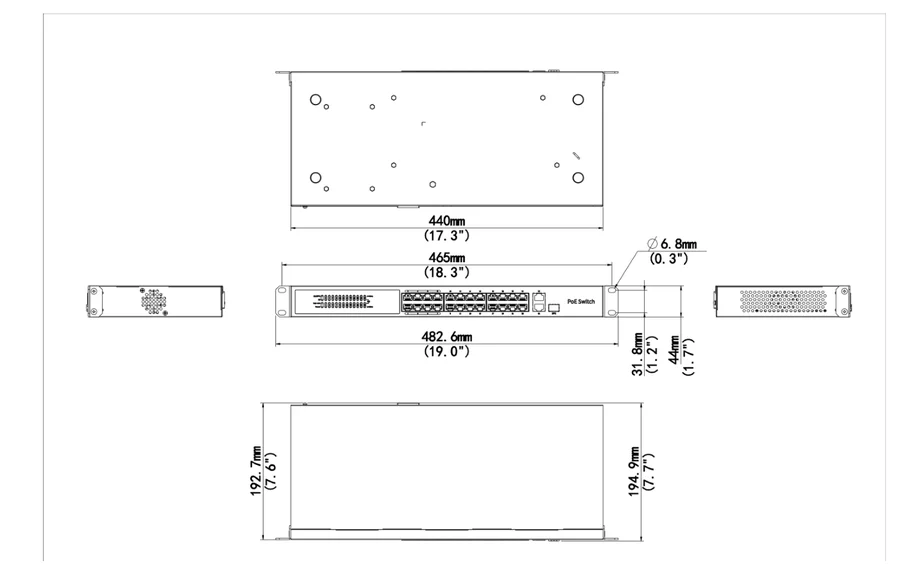
Dimensions (W×D×H)440 × 244.8 × 44 mm
Weight2.9 kg
IndicatorsPower · PoE · PoE-MAX · Link/Act
Working modesDefault / Extend (up to 250 m reach, 10 Mbps auto-negotiation)
ComplianceNDAA compliant

Software Features

Cloud managementUnified configuration, management and search across multiple devices via Web, app and QR-code cloud login; view device status and remotely restart PoE power
Auto topologyAuto-discovers connected video devices and generates a network topology on the software
VLANAccess & Trunk modes, up to 32 VLANs, ID 1–4095
Link aggregation1 group, combining the two uplink ports
PoE managementView PoE status and power draw per port; enable/disable PoE power supply remotely
Loop & traffic controlBuilt-in loop detection; port rate limitation and broadcast storm control
SecurityPort isolation (downlink ports only); login IP address locking, up to 64 addresses
Maintenance & systemDevice upgrade, factory reset, configuration import/export, log export and restart via the software; view device info and up to 32 peer switches and 64 connected video devices on the same network

Models & Ordering

ModelProduct DescriptionPrice
NSW3000-24T1GT1GC-LPOE-INCloud managed 19-inch rack Fast Ethernet low-power PoE switch — 24 × 100Mbps RJ45 PoE ports (priority 1-8, 250 W total budget shared across 24 ports, 30 W/port max, Mode A/B) + 1000Mbps RJ45 + 1000Mbps Combo uplink, 1-fan all-metal 1U housing, 0°C to 45°C, NDAA compliant.✆ WhatsApp

Single fixed-configuration SKU — no variant options for this model.

Dimensions

NSW3000-24T1GT1GC-LPOE-IN dimension drawing, 440 x 244.8 x 44 mm
unit: mm
Project Bundles WelcomeCameras + NVR + switches + cabling quoted as one bundle · Free full-project BOM review.
Talk to an engineer →

Related Products